
Quick answer: if your e-Return password no longer works, go to etaxnbr.gov.bd, click Forgot Password, enter your TIN and registered mobile number, verify the 6-digit OTP and set a new e-Return password. It takes about two minutes. Then log in and continue your income tax return filing.
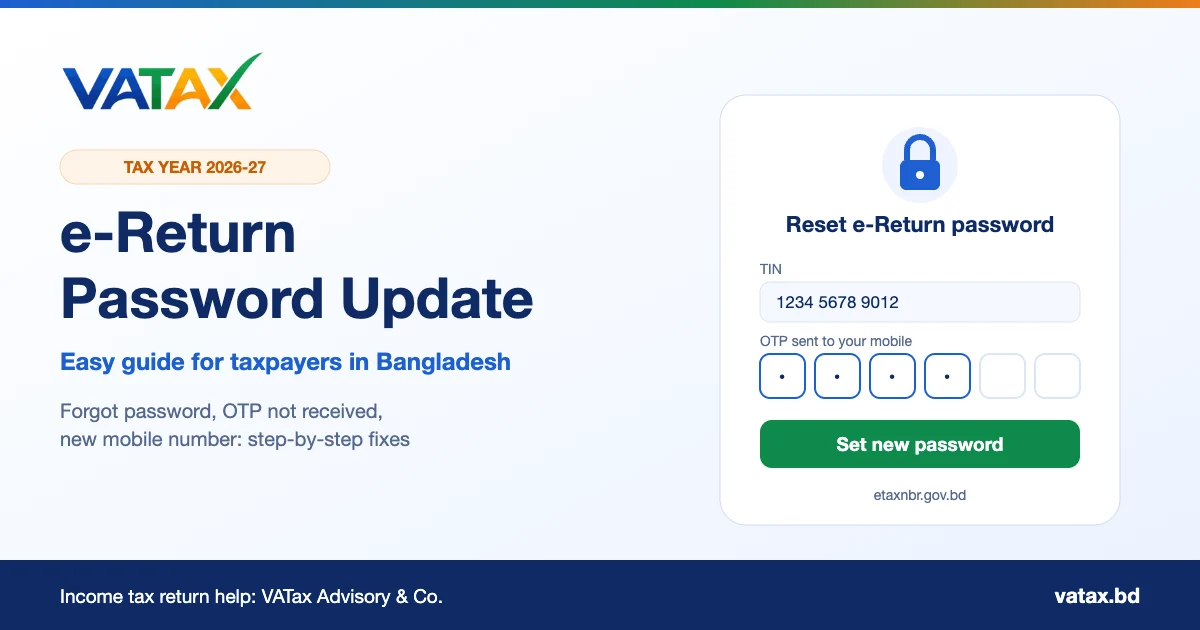
Every year thousands of taxpayers in Bangladesh try to log in to the e-Return system and find that their old password does not work. Some forgot it since last year. Some changed their phone. Some typed it correctly but the portal still refused it. In each case the fix is the same: update your e-Return password through the official National Board of Revenue (NBR) portal.
This guide explains, in simple steps, how to reset or change your e-Return password, what to do if the OTP does not arrive, and how to keep your tax account safe. It is written for salaried people, business owners, professionals, Bangladeshis living abroad and foreign nationals who file their income tax return online.
Why you may need to update your e-Return password
The e-Return system asks for a new password, or blocks your login, in a few common situations:
- You forgot the password. Most people log in only once a year, at return time, so this is the most common reason.
- The old password does not meet the current rules. The portal now asks for a stronger password with capital and small letters, a number and a symbol.
- Too many wrong attempts. After several failed tries, the safest option is to reset the e-Return password instead of guessing again.
- Security reasons. If you shared your password with someone, or used it on another website, change it.
- Changed mobile number. If your OTP goes to an old number, you must update it before you can reset the password.
What you need before you reset your e-Return password
- Your TIN (Taxpayer Identification Number). This is your e-Return login ID. If you do not remember it, check your old TIN certificate or your last acknowledgement slip.
- Your registered mobile number. This must be the number you used for e-Return registration, and it must be biometrically registered under your own National ID (NID).
- The phone itself, switched on, with signal and space for new SMS messages, so you can receive the OTP.
- A new password that follows the rules below. Think of it before you start, because the OTP is valid only for a short time.
- A computer or smartphone with a modern browser such as Chrome, Edge or Firefox.
How to check your NID mobile numbers: dial *16001# from any mobile phone and enter the last four digits of your NID. You will see how many mobile numbers are registered under your NID. If the number you use for e-Return is not on that list, the OTP will not work for you.
How to reset a forgotten e-Return password: step by step
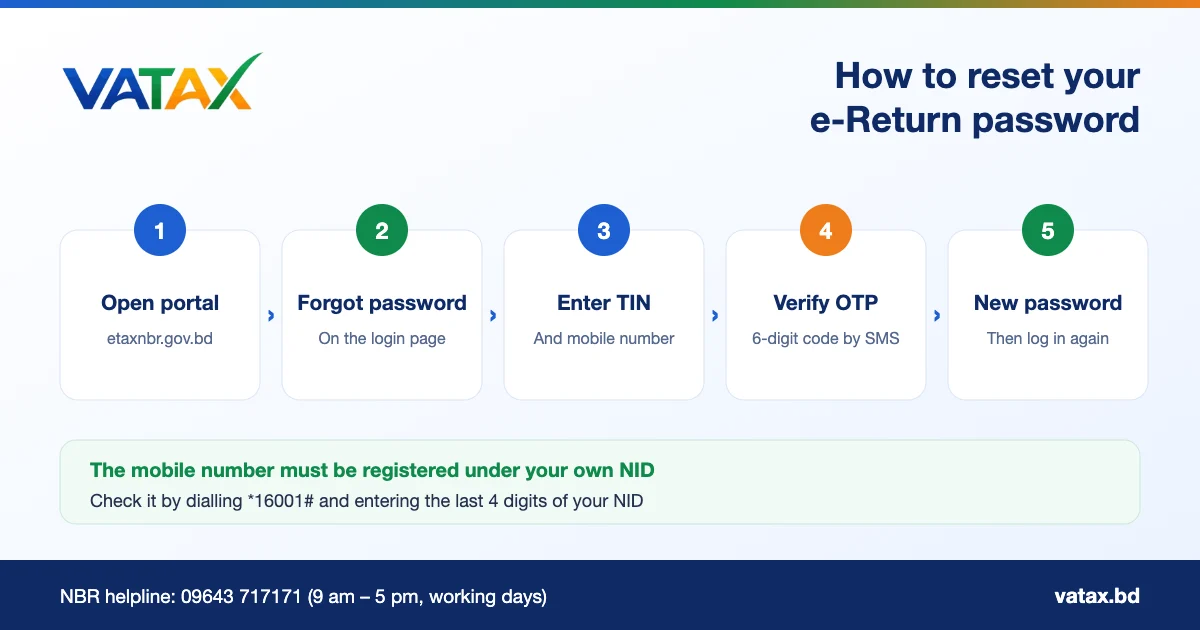
- Open the official portal. Type etaxnbr.gov.bd in your browser and open the e-Return section. Always type the address yourself instead of clicking links in SMS or social media posts.
- Click “Forgot Password”. You will find it on the e-Return login page, below the TIN and password boxes.
- Enter your TIN and mobile number. Give your 12-digit TIN and the mobile number you used when you registered for e-Return. Then request the OTP.
- Verify the OTP. A 6-digit one-time password (OTP) arrives by SMS. Type it into the portal before it expires.
- Set your new e-Return password. Type the new password twice, following the password rules, and save it.
- Log in again. Go back to the login page, enter your TIN and the new e-Return password, and continue your return.
How to change your e-Return password after login
If you still know your current password but want a stronger one, you do not need the Forgot Password process. NBR allows taxpayers to change the password after login:
- Log in to e-Return with your TIN and current password.
- Open your profile or account menu and select the change password option.
- Enter your current e-Return password, then the new password twice.
- Save, log out and log in again with the new password to check that it works.
It is a good habit to change your e-Return password once a year, just before you start your income tax return.
New to e-Return? Register first
If you have never used the system, you do not have an e-Return password yet, and Forgot Password will not help. You must register first. On the e-Return page, choose the option for taxpayers who are not registered, enter your TIN and a mobile number registered under your own NID, and verify it with the 6-digit OTP. Then set your password and complete the registration. From the next login onwards you will use your TIN and this password.
Registration needs a valid e-TIN. If you do not have one yet, you must get it first from the NBR e-TIN system. Taxpayers who closed their file earlier should read our guide on TIN certificate cancellation before they try to register again.
Registration and password reset are different
Registration creates your account. A password reset only gives an existing account a new e-Return password. If the portal says your TIN is already registered, use Forgot Password. If it says the TIN is not registered, complete the registration instead.
e-Return password rules
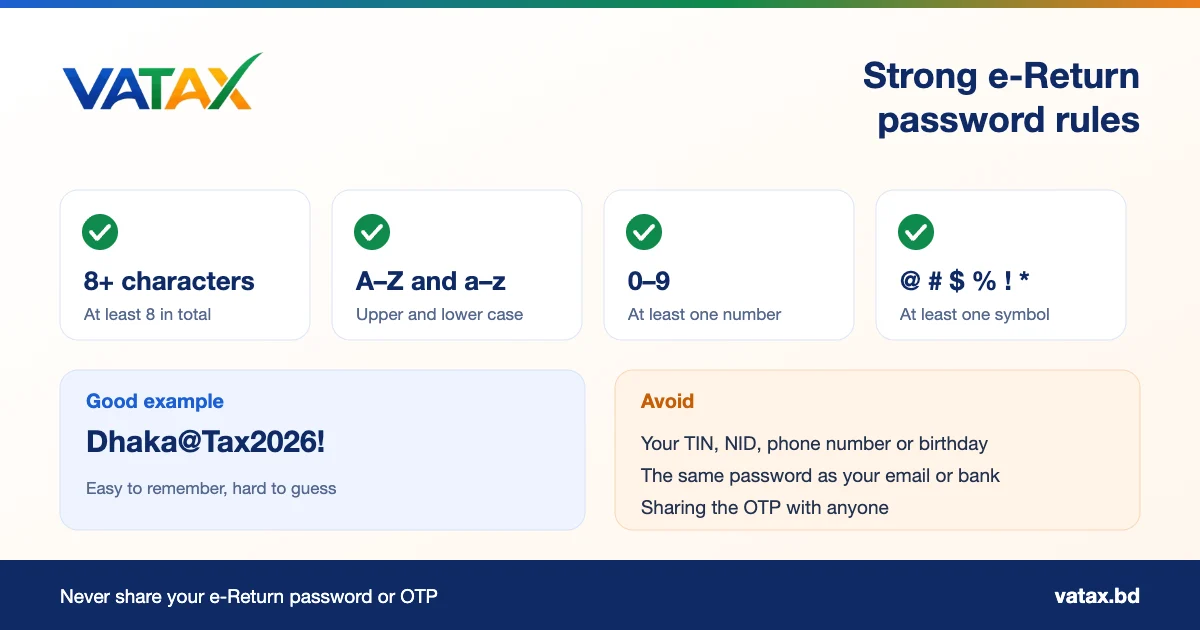
According to the NBR e-Return FAQ, your e-Return password must have:
| Rule | Requirement | Example |
|---|---|---|
| Length | At least 8 characters | 8 to 16 characters is easy to manage |
| Capital letter | At least one (A–Z) | D, T |
| Small letter | At least one (a–z) | a, x |
| Number | At least one (0–9) | 2026 |
| Special character | At least one, such as @ # $ % * & ! | @, ! |
A pattern like City@Word2026! meets the rules and is easy to remember. Make your own version. Do not copy the example from this page or the image.
Passwords to avoid
- Your TIN, NID number, mobile number or date of birth
- Simple patterns such as 12345678 or Password@1
- The same password you use for email, Facebook or internet banking
OTP not received? Common e-Return password problems and fixes
| Problem | Likely cause | What to do |
|---|---|---|
| No OTP SMS | Number not registered under your own NID | Dial *16001# to check. Use a number registered under your NID. |
| No OTP SMS | Weak signal, full inbox or SMS blocked | Move to a better network area, delete old SMS, check spam filters, then wait a few minutes before you request again. |
| “Invalid TIN” | Typing mistake or old TIN | Check the 12-digit TIN on your TIN certificate. |
| “Mobile number does not match” | A different number was used at registration | Use the original number, or contact the NBR call centre to update it. |
| OTP expired | Too much time between request and entry | Request a new OTP and type it in at once. |
| Page not loading | Heavy traffic near the deadline, or browser cache | Try again outside peak hours, clear the browser cache or use another browser. |
| New password rejected | Password does not meet the rules | Add a capital letter, a number and a symbol, and use at least 8 characters. |
Most e-Return password problems come from the mobile number. Fix that first, and the OTP usually arrives within a minute.
Lost your registered mobile number?
If the SIM you used at registration is lost, closed or no longer in your name, you cannot receive the OTP on it. The NBR FAQ says you can use another mobile number that is registered under your own NID. Here is what to do:
- Get a mobile number that is biometrically registered under your own NID. A number in a family member’s name will not work.
- Call the NBR helpline on 09643 717171 (9 am to 5 pm on working days) and ask how to update the mobile number on your e-Return account.
- If the call centre cannot solve it, visit or contact your tax circle. Tax circles also provide e-Return support.
- If you still cannot register or log in, the additional or joint commissioner of your tax zone can allow you to file a paper return. Ask your tax circle about this.
For Bangladeshis living abroad: email OTP
Expatriate taxpayers often cannot receive SMS on a Bangladeshi SIM. In February 2026 NBR introduced an email OTP facility for them. You apply from your own email address to NBR with copies of your passport, NID and visa page, your overseas address, an active foreign phone number and the date you last left Bangladesh. After NBR verifies your details and email address, OTPs for password reset, registration and other e-Return tasks are sent to your email.
Read our full guide on online tax filing for Bangladeshis abroad for the rest of the process.
How to keep your e-Return account safe
- Only use the official portal, etaxnbr.gov.bd. Fake websites and SMS links may try to steal your e-Return password.
- Never share your OTP with anyone.
- Log out after you finish, especially on shared or office computers.
- Do not let your browser save the password on a shared computer.
- Keep the mobile number linked to your account active and in your name.
- Download and save the acknowledgement slip and a PDF copy of each return you submit.
If you think someone else has logged in to your account or submitted something in your name, reset your e-Return password at once, check your submitted returns, and report the matter to the NBR helpline and your tax circle without delay.
A tip for employers and HR teams
Many companies in Bangladesh help their staff file returns during the tax season. A large share of the questions HR teams receive are about a lost e-Return password or an OTP that never arrives. Share this simple checklist with your employees early in July:
- Keep your TIN certificate and the mobile number used for e-Return ready.
- Check the NID mobile numbers by dialling *16001# before the busy season starts.
- Reset the e-Return password early, not in the last week, when the portal is busiest.
- Keep the salary certificate and tax deduction certificates from the employer in one folder.
Foreign nationals working in Bangladesh and senior managers of multinational companies often prefer a tax adviser to manage the whole filing. Our team supports companies with employee tax filing, withholding tax and monthly accounting and tax retainer services.
After the reset: file your 2026-27 income tax return
Once your e-Return password works, you can finish your return. NBR opened the e-Return system for tax year 2026-27 on 22 July 2026. Online filing is compulsory for individual taxpayers, with a few exceptions such as taxpayers aged 65 or over, people with disabilities, Bangladeshis living abroad and foreign nationals working in Bangladesh, who may still file on paper.
NBR also offers a 5% incentive on net tax payable, up to Tk 25,000, for returns filed between July and September. Returns filed late may face additional tax, so do not let a password problem delay your filing.
Before you start, collect your salary certificate, bank statements, investment papers and tax deduction certificates. Our list of documents required for income tax return and our e-Return filing guide explain each item. You can also estimate your tax with our tax calculator suite.
e-Return password: frequently asked questions
How do I reset my e-Return password in Bangladesh?
Go to etaxnbr.gov.bd, open the e-Return login page and click Forgot Password. Enter your TIN and registered mobile number, type the 6-digit OTP you receive by SMS and set a new password.
Why is my old e-Return password not working?
The most common reasons are a typing mistake, Caps Lock, an expired session or a password that no longer meets the portal rules. Use Forgot Password to set a new e-Return password with an OTP.
What are the e-Return password rules?
The password must have at least 8 characters, with at least one capital letter, one small letter, one number and one special character such as @, #, $, %, * or !.
I am not receiving the OTP. What should I do?
Make sure the mobile number is registered under your own NID (dial *16001# to check), that the phone has signal and SMS space, and that you entered the correct TIN. Wait a few minutes before you request a new OTP. If it still fails, call the NBR helpline on 09643 717171.
I changed my mobile number. Can I still reset my e-Return password?
You need a mobile number that is biometrically registered under your own NID. If your old number is gone, contact the NBR call centre or your tax circle to update the number before you reset the password.
Can Bangladeshis living abroad reset the e-Return password without a local SIM?
Yes. Since February 2026 NBR offers an email OTP facility for expatriate taxpayers. After NBR verifies your email address, OTPs for password reset and registration are sent to your email.
Is it safe to give my e-Return password to a tax consultant?
Never share your password or OTP with anyone you do not trust. A professional tax adviser can prepare your return with you and guide you through the portal while you keep control of your login.
Need help with e-Return login or tax filing?
VATax Advisory & Co. helps individuals, expatriates and businesses with e-Return registration, e-Return password and login problems, income tax return filing and tax planning in Bangladesh. Tell us your problem and we will guide you step by step.
Sources: National Board of Revenue e-Return FAQ; NBR announcement on e-Return for tax year 2026-27 (22 July 2026); NBR email OTP facility for expatriate taxpayers (February 2026). Portal screens and labels can change. This guide is general information, not legal advice for a specific case.

